By Wearablewhiz / Published June 29, 2026 · Updated September 27, 2026
I finished a tempo run, stopped my workout, and watched the number appear: Recovery Rate, 31. I had no idea if that was good. The watch didn’t say.
I went looking. Turns out heart rate recovery is one of the more meaningful metrics your watch captures. Most people walk past it every time.
Heart rate recovery (HRR) is how much your heart rate drops in the first minute after you stop exercising. A drop of 12 bpm or less is considered low. Above 30 bpm is excellent.
Apple Watch doesn’t measure this directly. It uses a model: after your workout ends, the watch tracks your heart rate for 3 minutes and calculates an estimated 60-second recovery normalized for exercise intensity. That number is called your Recovery Rate.
It’s one of the few post-workout metrics on Apple Watch backed by peer-reviewed mortality research (Cole et al., NEJM 1999). Higher is better. Trends matter more than single readings.
Key Takeaways: Apple Watch Heart Rate Recovery
- Heart Rate Recovery (HRR) shows how quickly your heart rate drops after exercise — a powerful indicator of cardiovascular fitness and recovery ability.
- Apple Watch displays a modeled Recovery Rate (normalized for workout intensity), not a raw measurement.
- General Ranges:
- Below 12 bpm → Low
- 12–20 bpm → Average
- 21–30 bpm → Good
- Above 30 bpm → Excellent
- Focus on trends after hard workouts. Rising numbers = improving fitness. Falling numbers = possible fatigue.
- Poor sleep, heat, dehydration, or stress can temporarily lower your score.
- Use alongside Training Load for smarter training decisions.
What heart rate recovery actually measures
Heart rate recovery is how much your heart rate falls in the first minute or two after you stop exercising.
When you stop, your heart rate doesn’t drop instantly. It falls gradually as your body shifts out of fight-or-flight and your parasympathetic nervous system takes back over. How fast that happens is heart rate recovery (HRR).
A faster drop means your autonomic nervous system is responsive and efficient. A sign of cardiovascular fitness. A slow drop means your body is taking longer to return to baseline, which can reflect poor fitness, accumulated fatigue, or both.
The clinical weight behind this metric is real. A 1999 New England Journal of Medicine study (Cole et al.) found that a slow heart rate recovery was among the strongest independent predictors of mortality, even after adjusting for standard cardiovascular risk factors. The 1-minute recovery number became the benchmark from that research.
How Apple Watch calculates your recovery rate
Here’s where it gets specific. Apple Watch doesn’t measure your literal heart rate drop in the 60 seconds after you stop a workout. It uses a model.
After a workout ends, the watch continues measuring your heart rate for 3 minutes. It then estimates what your 60-second recovery would be after submaximal exercise at 85% of your predicted max heart rate. That estimate is your Recovery Rate.
Why the model? Because your actual heart rate drop depends heavily on workout intensity. A 20-minute easy walk and a hard 5K both end, but the raw 60-second drop after each tells you very different things. Apple’s model normalizes for effort so the number is more comparable across different workouts and days.
The practical implication: your Recovery Rate is a modeled prediction, not a direct measurement. It’s still useful, especially as a trend, but knowing what it actually is matters.
Where to find your recovery rate
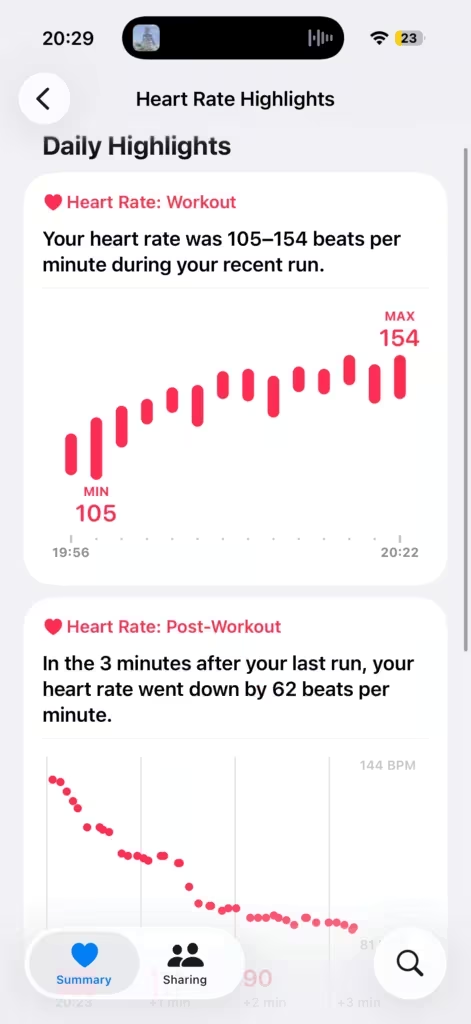
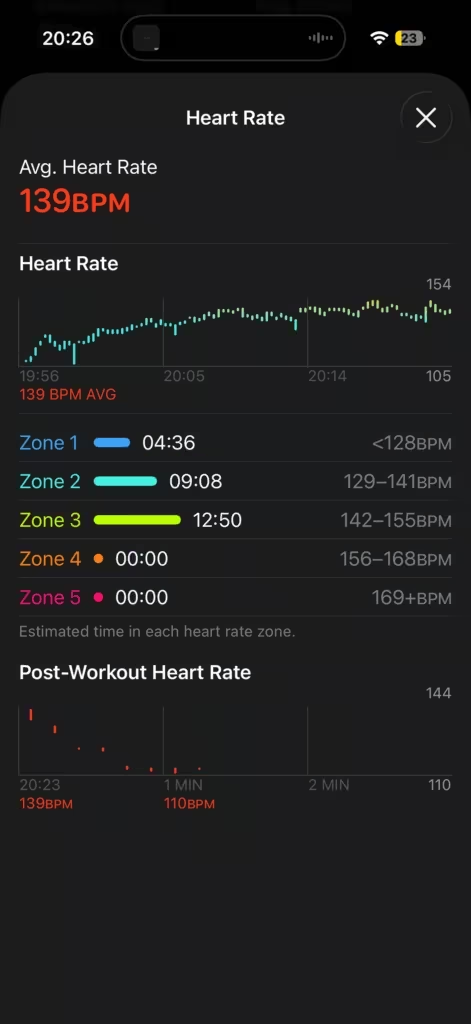
On your Apple Watch: After a workout ends, open the Heart Rate app. Scroll or turn the Digital Crown to view different sections (Resting Rate, Walking Average, Workout heart rate, and Recovery Rate / Cardio Recovery). It typically appears at or near the bottom if a workout was completed recently.
On your iPhone: Open the Fitness app, tap the workout, then swipe left on the heart rate chart. Heart rate recovery data appears there.
Note: On newer watchOS versions, the metric may appear as Cardio Recovery in some places, particularly in the Health app on iPhone. It’s the same number.
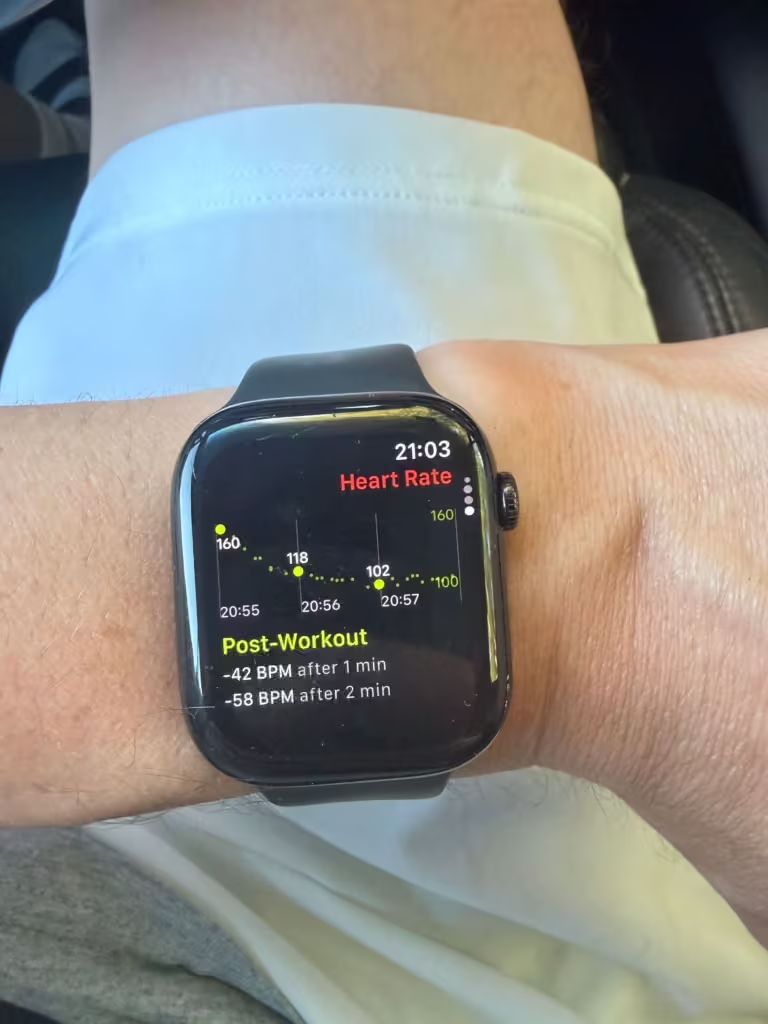
The number won’t appear after every session. Common reasons: the workout was too short, the watch didn’t get a clean heart rate signal, or you ended the session before your heart rate had started coming down from peak effort. If you stop a workout and immediately sit down, the model still needs those 3 minutes of post-workout data, if the Workout app closed too early or lost signal, the Recovery Rate won’t generate.
Recovery rate ranges: what the number means
These ranges draw from the Cole et al. NEJM study and general exercise physiology research. Apple’s model targets the 60-second recovery equivalent, so the same thresholds apply.
| Recovery Rate | What it generally indicates |
|---|---|
| Below 12 bpm | Low. Associated with elevated cardiovascular risk in clinical research. Worth discussing with a doctor if this is consistent. |
| 12–20 bpm | Average. Normal for most healthy adults. |
| 21–30 bpm | Good. Reflects solid cardiovascular fitness and efficient autonomic recovery. |
| Above 30 bpm | Excellent. Typical of trained athletes and high aerobic capacity. |
Source: Cole CR et al., “Heart-Rate Recovery Immediately after Exercise as a Predictor of Mortality,” NEJM 1999. Sub-ranges based on general exercise physiology research; these are not clinical thresholds.
One caveat: HRR naturally declines with age. A reading that looks average for a 30-year-old may reflect solid fitness for someone in their 50s. Use the ranges as a directional guide, not a hard verdict.
A few things that reliably suppress the number on any given day: heat and humidity, dehydration, poor sleep, or high sustained stress. These push down your autonomic nervous system response independently of your fitness level. A single low reading after a rough night means nothing on its own.
How to improve your recovery rate
The biggest lever is aerobic fitness. Long, easy cardio – the kind where you can hold a conversation, done consistently over months is what moves Recovery Rate up. Think 30–60 minute runs or rides at low intensity, a few times a week.
Everything else is damage control: sleep, hydration, stress. These won’t build your aerobic base, but they’ll stop a good Recovery Rate from looking bad on days when your body is already stretched thin.
How to actually use this number
I only pay close attention to my Recovery Rate after hard workouts. Easy runs and light sessions don’t stress the cardiovascular system enough to make the number meaningful — the model has less to work with, and the output reflects that. A tempo run, an interval session, a hard ride: those are the sessions where the number tells you something real.
After a hard effort, a recovery rate in the 20s or above tells me the session went well and my body handled it. A number that comes back lower than usual after similar efforts is the one I take seriously.
Track it as a trend across those harder sessions, not as a daily verdict.
Your Recovery Rate will fluctuate depending on conditions and how recovered you were going in. What you’re looking for is the direction over weeks of comparable efforts. A rising Recovery Rate across a training block is one of the clearest signals your cardiovascular fitness is improving. It’s more sensitive to aerobic adaptation than resting heart rate and easier to read per-workout than HRV.
A falling Recovery Rate during a heavy block is an early warning. If numbers are dropping across multiple hard sessions over 1-2 weeks, your body isn’t absorbing the load. That’s the moment to cut volume before you dig a hole.
This is where Recovery Rate and Training Load connect directly. If your Training Load is climbing into the strained zone and your Recovery Rate is sliding at the same time, that’s 2 signals pointing the same direction. One metric alone is noise. Both pointing the same way is a decision. Here’s how Apple Watch training load works if you haven’t set that up yet.
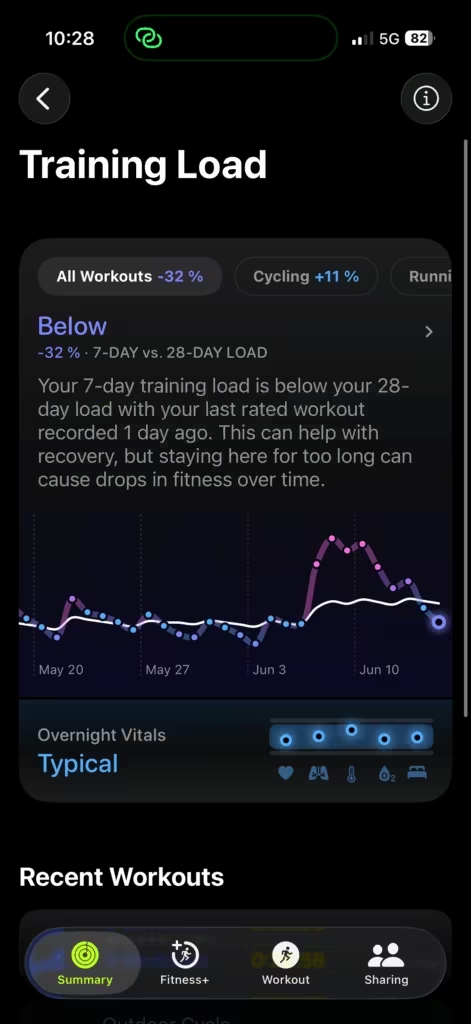
Understand how your 28-day training load works alongside recovery metrics to avoid overtraining.
The Apple Watch you need for this
Recovery Rate has been available on Apple Watch for several years and works on any current model. If you’re due for an upgrade, Apple Watch Series 12 or Ultra 4 is where the feature set is most complete.

Your Recovery Rate tells you something your resting metrics can’t: how your cardiovascular system responds to actual work. Check it after hard sessions. Watch the direction over a training block. When it starts dropping without a change in load, listen to it.
Sources:
- Monitor your heart rate with Apple Watch – Apple Support
- Using Apple Watch to measure heart rate, calorimetry, and activity – Apple, November 2024
- Heart-rate recovery immediately after exercise as a predictor of mortality – Cole et al., NEJM 1999
- Heart Rate Recovery and Risk – GE HealthCare Clinical View