
By Wearablewhiz / Published August 12, 2026 · Updated September 11, 2026
Most people with an Apple Watch don’t know what the ECG app actually measures, when to use it, or how often. I opened the ECG app on my Apple Watch for the first time out of curiosity and realized I had no idea what it was measuring, when to use it, or how often. Turns out most people with an Apple Watch have no idea either.
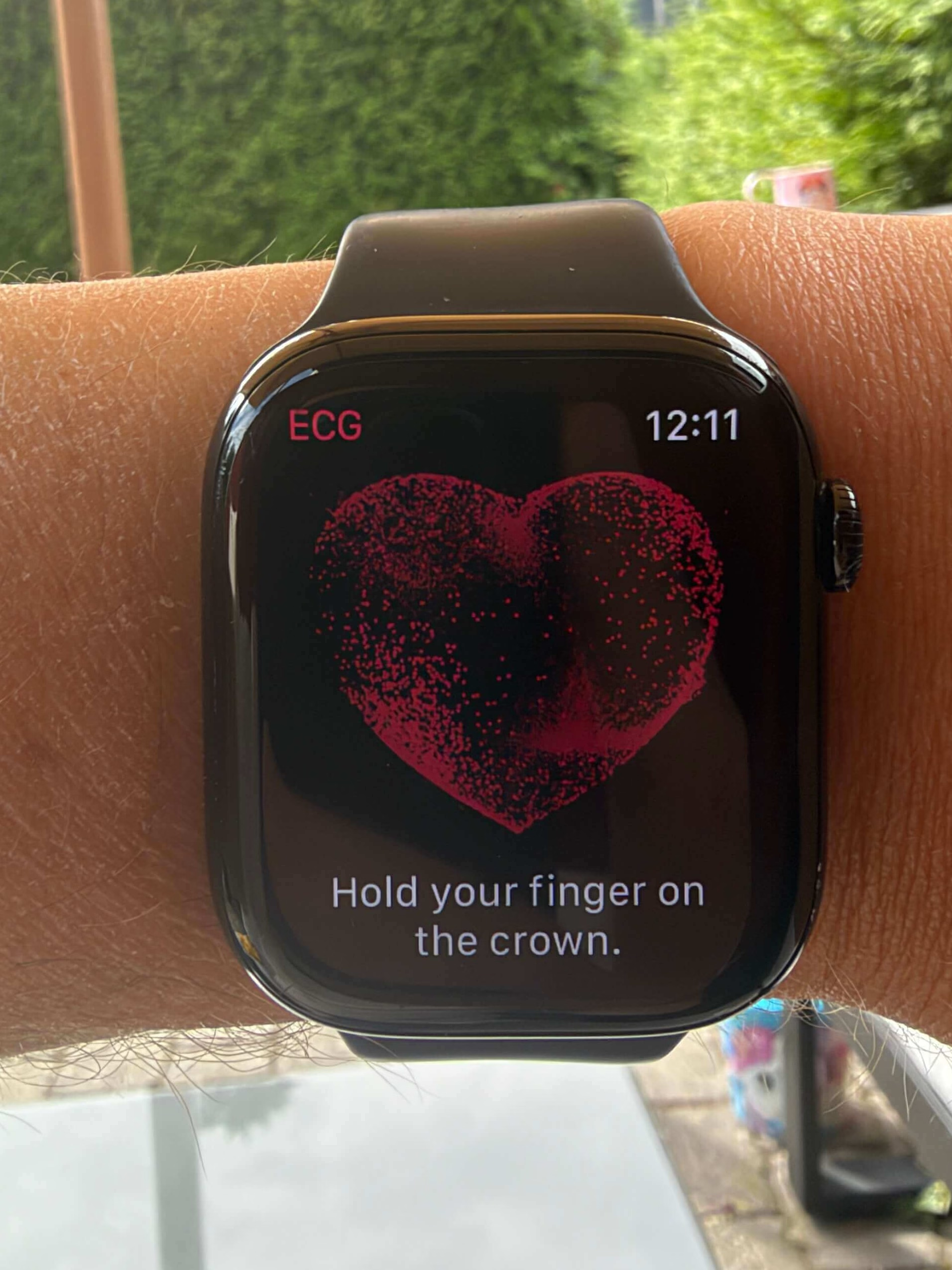
What an ECG is actually checking
An ECG, or electrocardiogram, records the electrical pulses that make your heart beat. Every heartbeat starts with an electrical signal. The ECG captures that signal as a waveform, and a doctor can read that waveform to understand your heart’s rate and rhythm.
What Apple Watch is specifically looking for is atrial fibrillation, known as AFib. AFib happens when the upper and lower chambers of your heart fall out of sync and beat in an irregular pattern. It’s the most common form of serious arrhythmia, and most people who have it don’t know.
AFib matters because it significantly increases the risk of stroke. Catching it early, before symptoms become obvious, is exactly the kind of thing a wrist sensor is positioned to help with.
How Apple Watch takes an ECG
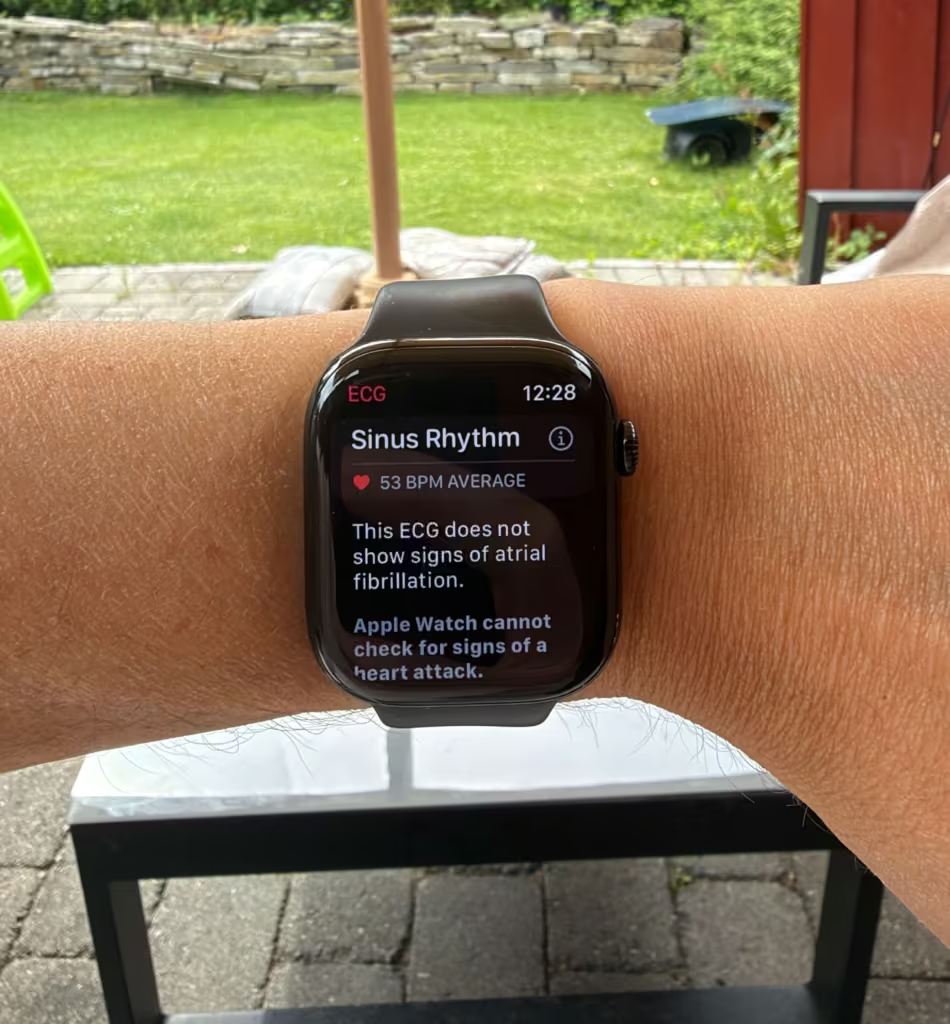
Your Apple Watch has an electrical heart sensor built into the Digital Crown and the back crystal. When you place a finger from your opposite hand on the Digital Crown, you complete a circuit across your chest. The watch detects the tiny electrical signals your heart produces as it beats, then generates a waveform from that data.
The recording takes 30 seconds. Rest your arms on a table or in your lap, hold your finger on the Digital Crown without pressing it, and stay still. The app classifies the result when it finishes.
One thing worth understanding: the ECG app generates what’s called a single-lead ECG, similar to Lead I of a standard ECG. The Apple Watch ECG is a single‑lead recording (similar to Lead I). It’s designed to distinguish sinus rhythm from atrial fibrillation; it is not a 12‑lead ECG and cannot evaluate other arrhythmias or heart attacks. A doctor’s office uses a 12‑lead ECG that records from 12 different angles. Apple Watch captures 1 of those 12 waveforms. That’s enough to detect AFib and sinus rhythm. It’s not enough to detect a heart attack, which requires the full picture. More on Apple Watch support pages here.
What each result means
| Result | What it means (Apple’s definition) | What to do |
|---|---|---|
| Sinus rhythm | Heart beating in a uniform pattern between 50–100 BPM, with upper and lower chambers in sync. This is the “normal” classification for that recording. | No action needed if you feel well. If you have symptoms (palpitations, dizziness, chest pain, shortness of breath), talk to a doctor even with a sinus rhythm result. |
| Atrial fibrillation (AFib) | Irregular rhythm detected. The ECG app can check for AFib between 50–120 BPM (ECG v1) or 50–150 BPM (ECG v2). | An AFib classification means the 30‑second recording shows an irregular rhythm consistent with AFib. It is not a diagnosis; confirm with a clinician, especially if you’ve never been diagnosed. |
| Low heart rate | Below 50 BPM. The app can’t check for AFib at this rate, so it won’t classify rhythm as AFib or sinus. | Can be normal for athletes or during sleep. Discuss with a doctor if you also have symptoms (fainting, dizziness, fatigue) or if it’s new for you. |
| High heart rate | Above 120 BPM (ECG v1) or 150 BPM (ECG v2). The app can’t check for AFib at these rates. | Often due to exercise, stress, caffeine, or dehydration. Retake when rested. If it’s repeatedly high at rest or you have symptoms, talk to a doctor. |
| Inconclusive | Recording can’t be classified (e.g., movement, loose band, heart rate outside range, certain conditions). Common with pacemakers or some arrhythmias. | Retake when rested, with good contact and still arms. Mention to your doctor if it keeps happening or if you have symptoms. |
| Poor Recording (ECG v2+) | Signal wasn’t clean enough to classify. This is a step beyond “inconclusive” and is specific to newer ECG versions. | Check band fit, dry your wrist, rest your arms, move away from plugged-in electronics/chargers, and try again. |
A sinus rhythm result means your heart was in a normal rhythm during that specific recording. It’s a snapshot, not a general clearance. It doesn’t mean your heart beats normally all the time.
What the ECG app cannot detect
This is the part most people don’t know.
The ECG app cannot detect a heart attack. If you have chest pain, pressure, or tightness, call emergency services immediately. Don’t open the ECG app first.
It also can’t detect blood clots, stroke, high blood pressure, high cholesterol, or congestive heart failure. It checks one thing: whether your heart is in sinus rhythm or AFib at the moment of the recording.
Apple validated the app in a clinical trial of around 600 subjects. Results showed 99.6% specificity for sinus rhythm classification and 98.3% sensitivity for AFib classification. Those numbers come from a controlled environment. Real-world use produces more inconclusive results, which is normal.
Which version of the ECG app do you have?
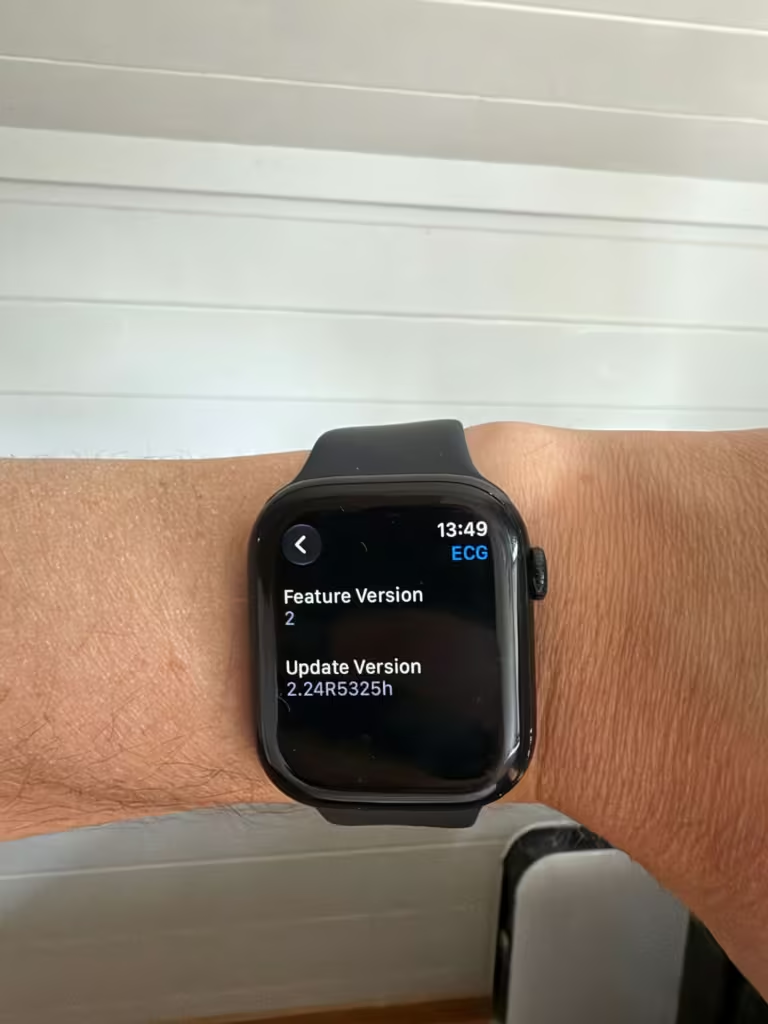
There are 2 versions: ECG v1 and ECG v2. The difference is the heart rate range in which AFib can be detected. Version 1 checks between 50 and 120 BPM. Version 2 checks between 50 and 150 BPM.
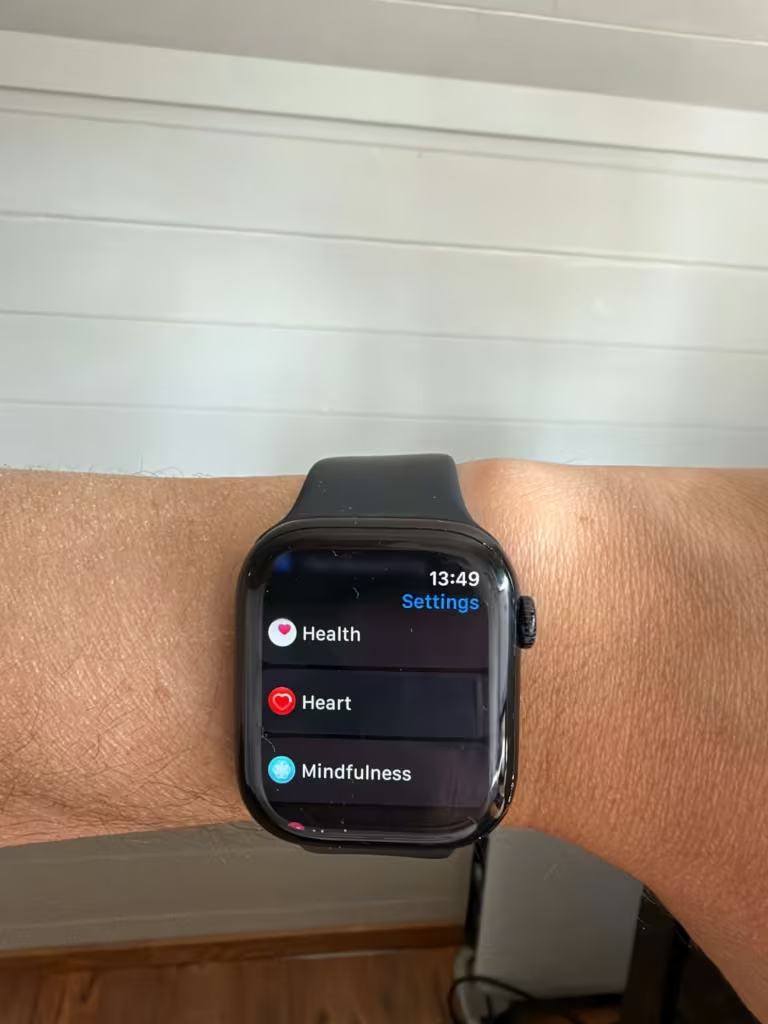
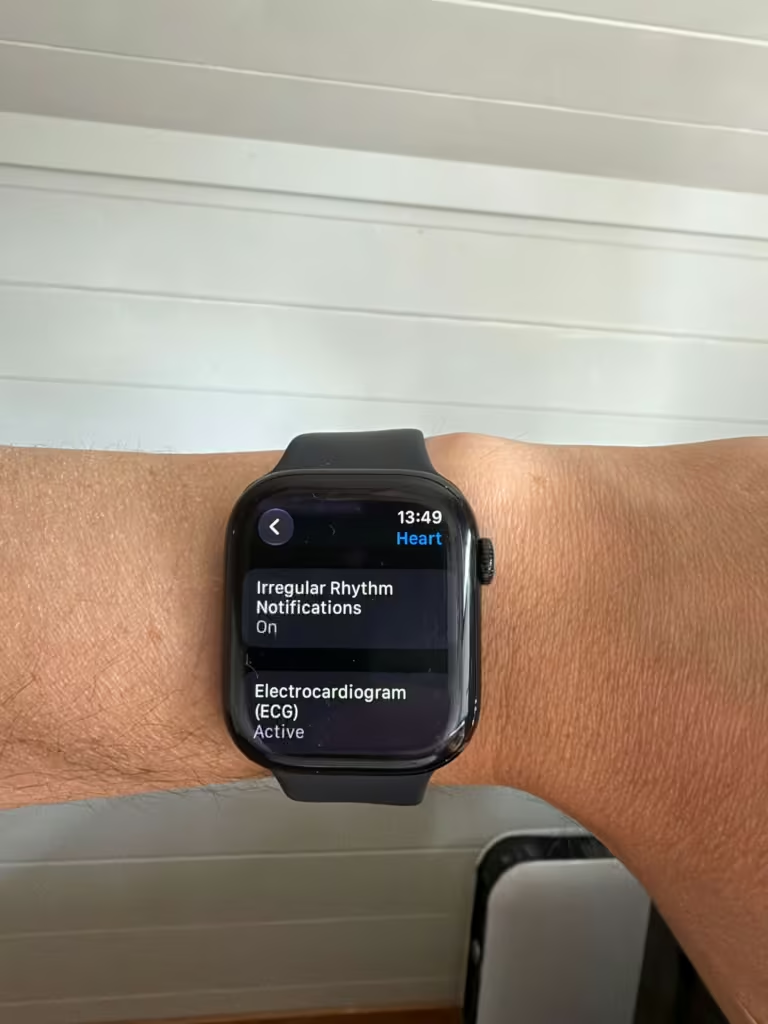
Which version you have depends on your country and region. To check: open the Settings app on your watch, tap Heart, then tap ECG. Your version number is shown there.
Where Apple leaves the gap
The ECG app gives you a result. What it doesn’t give you is context.
A single sinus rhythm reading doesn’t mean your heart is healthy overall. A single AFib reading doesn’t mean you have a serious condition. A pacemaker or ICD will almost always produce an inconclusive result, not because something is wrong, but because the app isn’t designed for those devices.
It’s also worth knowing how the ECG app differs from the background rhythm checks your watch runs automatically. The ECG app records a 30-second electrical reading on demand, using the sensors in the Digital Crown and back crystal. It produces an actual waveform and classifies it as sinus rhythm, AFib, or inconclusive. The irregular rhythm notification feature works differently. It runs in the background using the optical heart sensor, sampling your pulse at intervals and looking for patterns consistent with AFib across multiple checks before sending you a notification. It doesn’t produce an ECG waveform and isn’t designed for immediate diagnosis. Think of the background feature as a passive screen that might flag something, and the ECG app as the active, higher-resolution follow-up you take when something needs a closer look.
This isn’t a tool to open every morning as a daily check-in. It’s designed for moments when you feel something: a heartbeat that feels too fast or irregular, or when your watch sends you an irregular rhythm notification.
SpO2 and HRV tell you how you’re recovering day to day. The ECG app is for something different: a specific moment that feels off and needs a closer look. If you’re not sure how those overnight metrics connect, the posts on Vitals and HRV are worth reading alongside this one.
How to share results with your doctor
Everything the ECG app records is saved in the Health app under Heart, then Electrocardiograms (ECG). You can export a PDF of any recording to share with your doctor. Open Health, click on “show all health data”, find the ECG entry, tap it, then tap Export a PDF for your doctor.
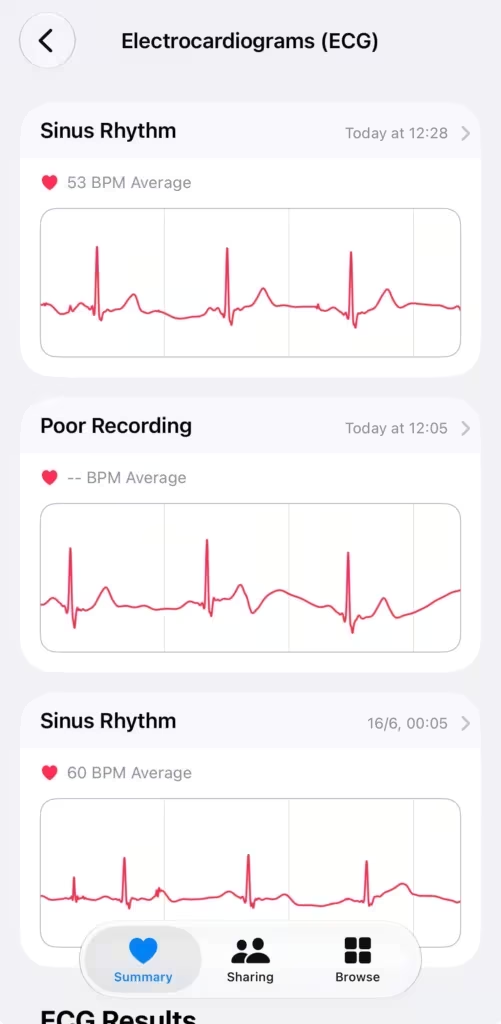
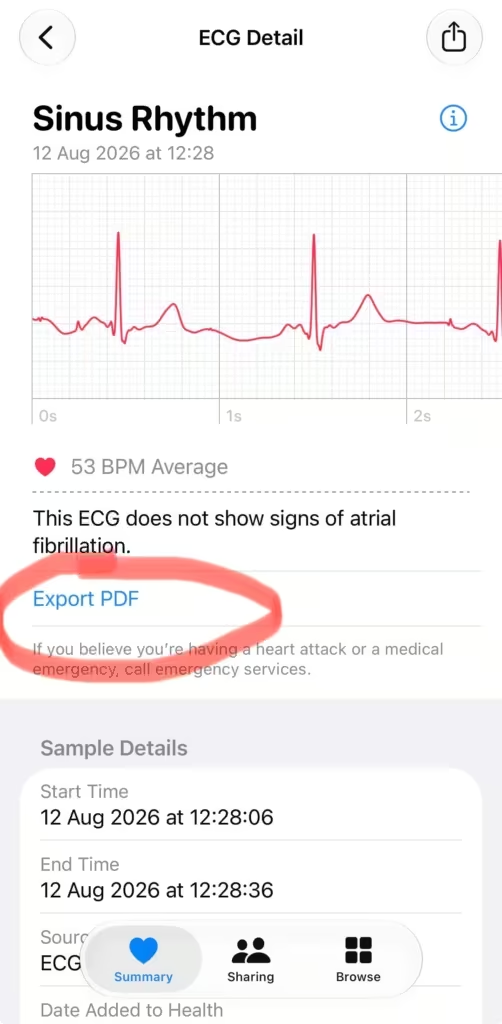
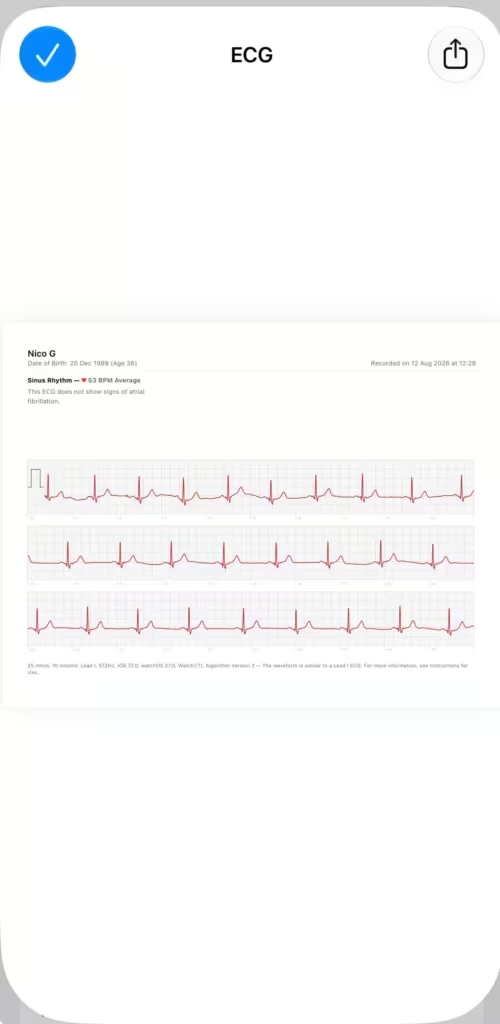
If you’ve had an AFib result or a series of irregular rhythm notifications, bringing that PDF to a GP appointment saves time and gives them something concrete to look at instead of going from memory.
Getting a clean recording
A few things will consistently ruin a reading: movement, a loose band, wet skin, and being near electronics plugged into an outlet.
The wrist and watch need to be dry. After swimming or heavy exercise, Apple recommends waiting at least an hour before taking a reading.
If you keep getting inconclusive or poor recording results, run through this: band is firm, wrist is dry, arms are resting flat, you’re away from plugged-in devices, and you’re completely still for the full 30 seconds.
The watch you need for this
The ECG app is available on Apple Watch Series 4 and later, and all Ultra models. It’s not available on any version of the Apple Watch SE. You also need to be 22 or older to use it.
Availability varies by country and region. Check Apple’s feature availability page to confirm it’s supported where you are before buying.

When to actually use it
Most of the time, you don’t need to open the ECG app. Your watch is already running background rhythm checks continuously through the irregular rhythm notification feature.
Use it when something feels off: a heartbeat that feels too fast or irregular, or when your watch sends you an irregular rhythm notification. Take the reading, note your symptoms in the app, and save it.
If you get an AFib result and haven’t been diagnosed with AFib before, contact a doctor. Not because the watch has diagnosed you, but because it’s flagged something that deserves a professional look.
The ECG app isn’t a diagnosis tool. Used at the right moment, it can surface something worth attention before you’d otherwise notice it.
Disclaimer: This article is for informational purposes only and is not medical advice. Consult a qualified clinician for diagnosis or treatment.
Sources: Take an ECG with the ECG app on Apple Watch — Apple Support | About ECG app version availability on Apple Watch — Apple Support